Ultima maps

November 2nd, 2001

Warning! You will find major spoilers here if you haven’t completed these games yet!

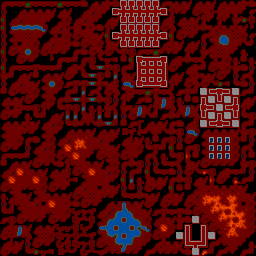
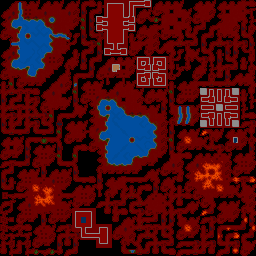
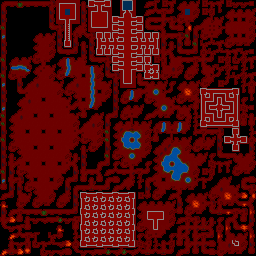
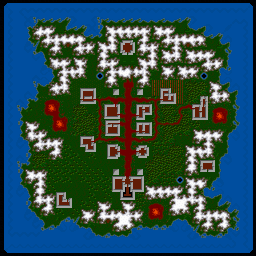
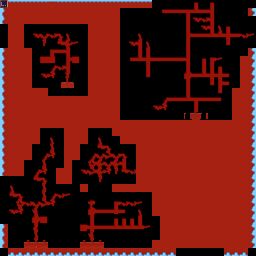
Maps from Ultima VI

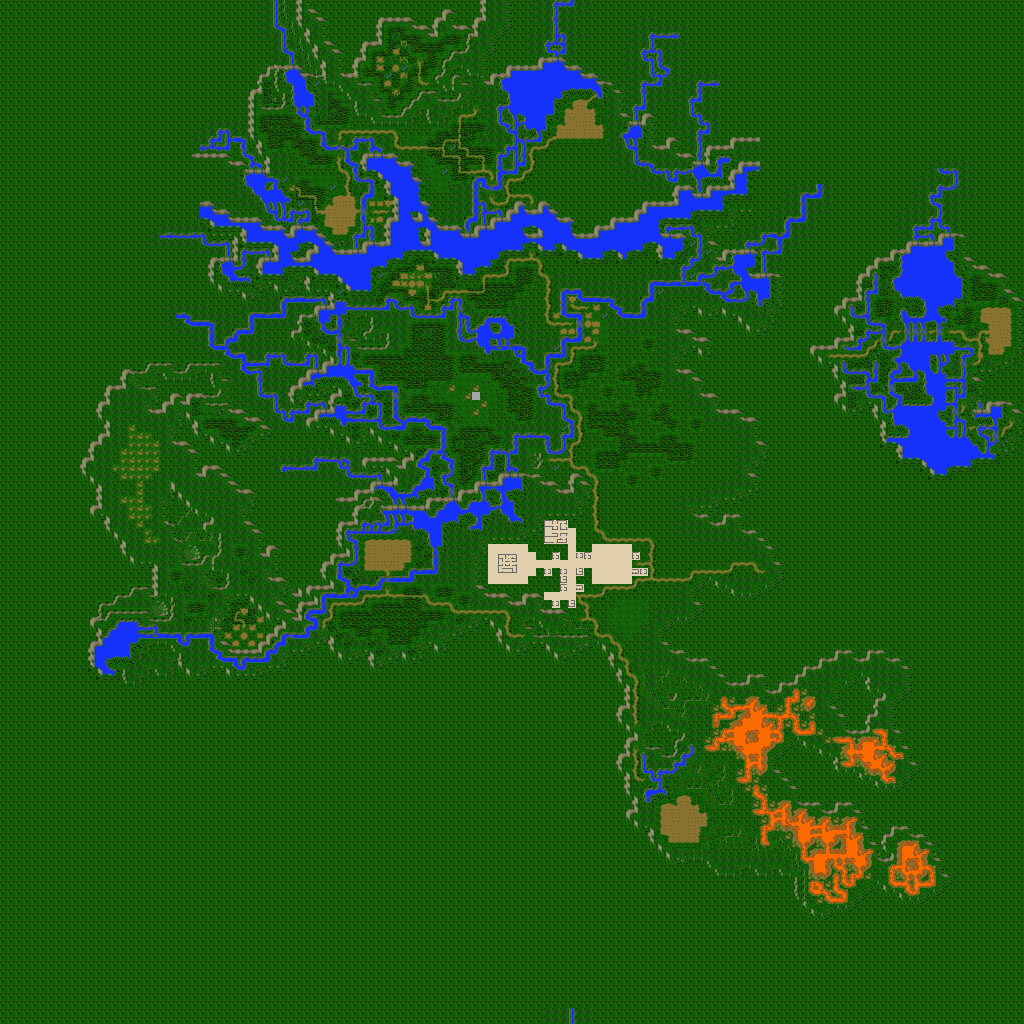
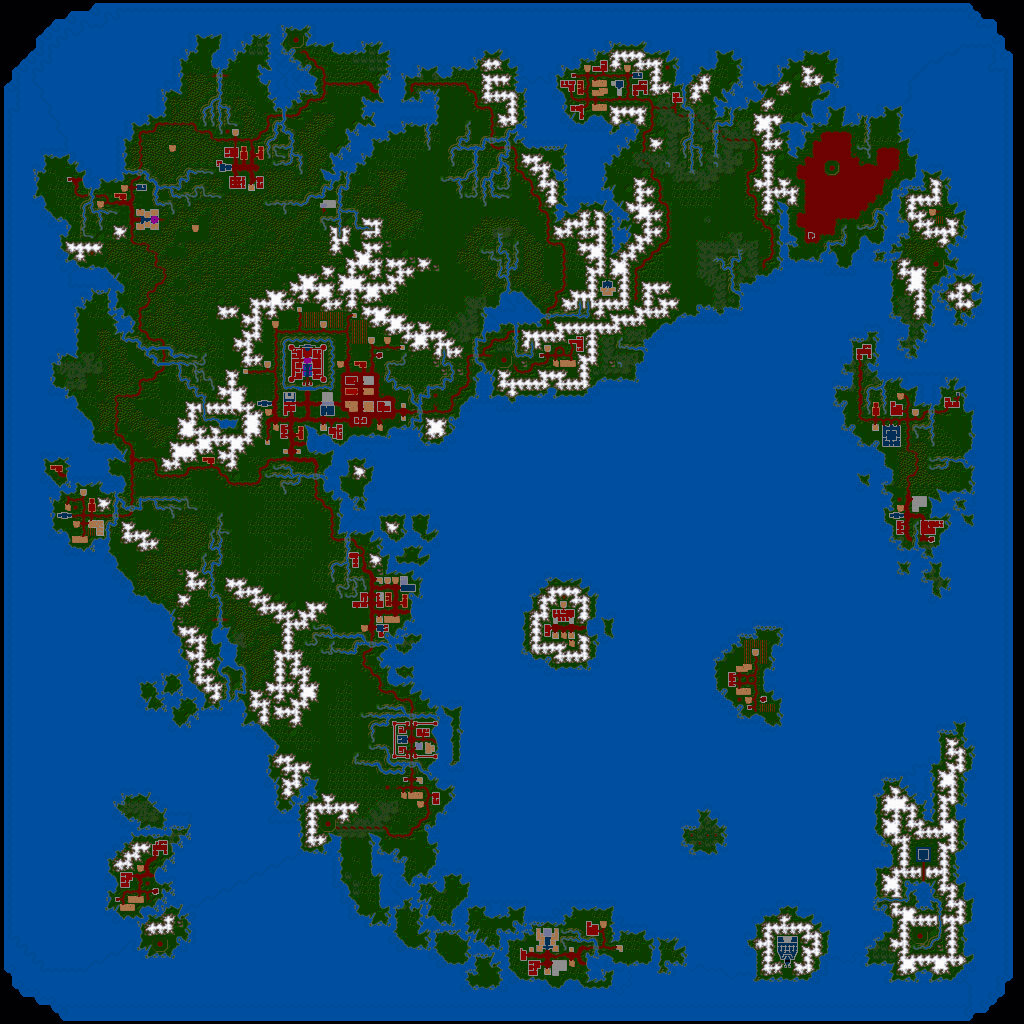
Britannian surface

Dungeon level 1

Dungeon level 2

Dungeon level 3

Dungeon level 4

Gargoyle surface


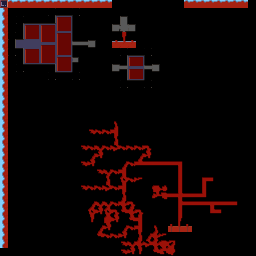
Maps from Savage Empire

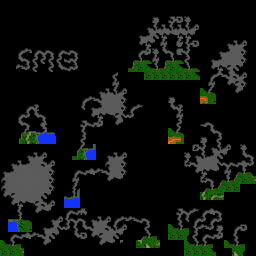
Eodon Valley surface

Myrmidex caves

Surface level caves

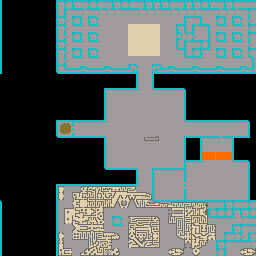
Underground city of Kotl


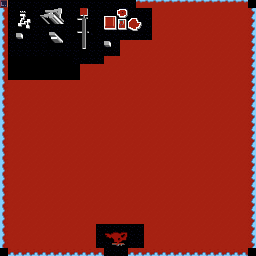
Maps from Martian Dreams

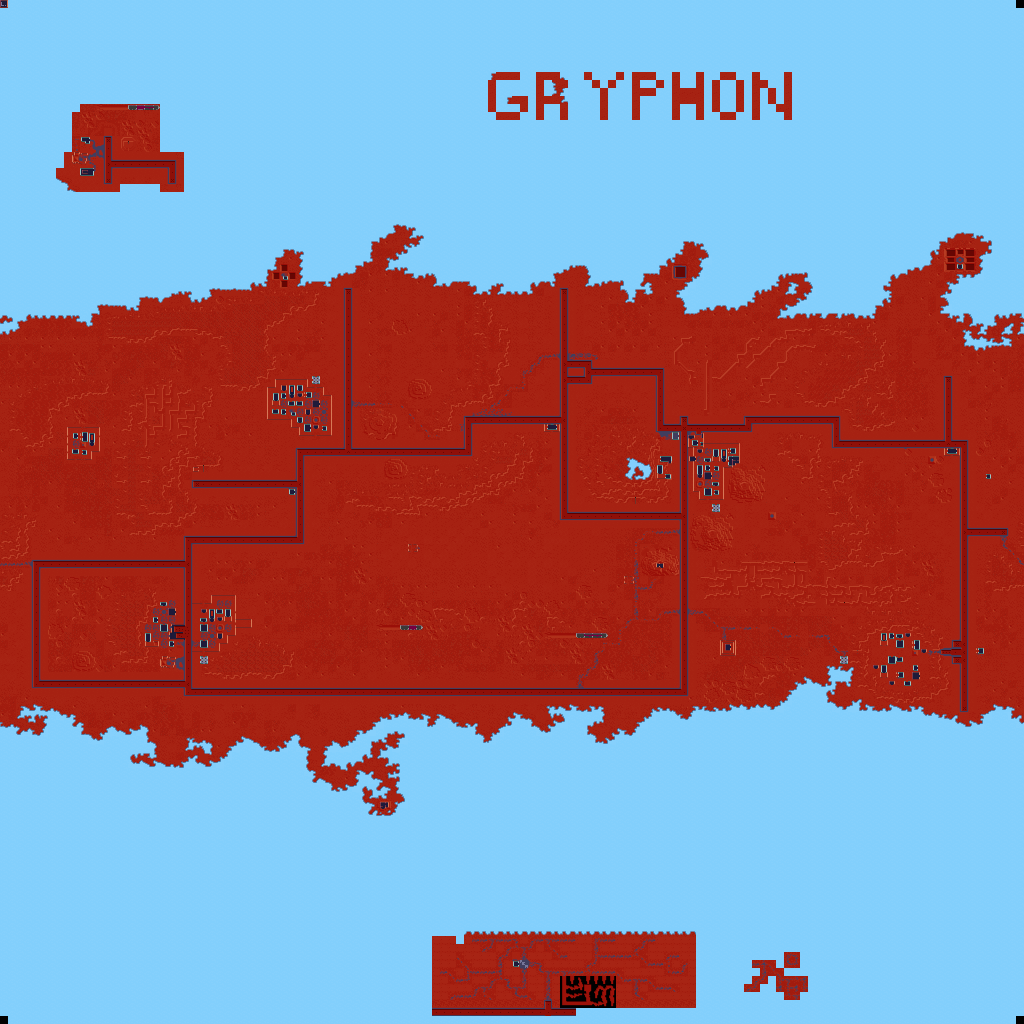
Mars surface

Mines

Dream World

Dream World

Mine and underground parts of Martian city

Coal mine and power plant


About the maps

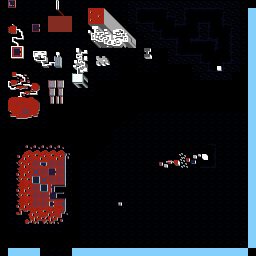
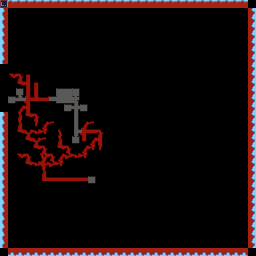
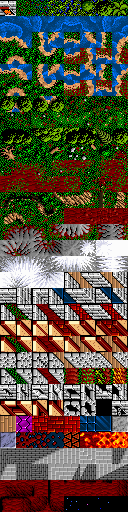
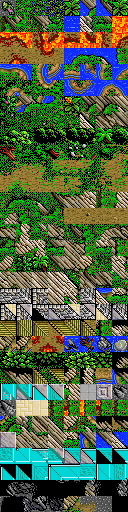
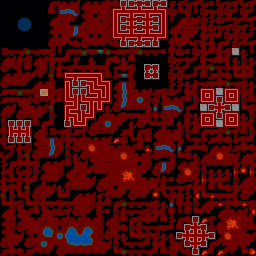
The scale of these maps is 1 pixel per step. The data is stored in the files MAP and CHUNKS and isn’t too difficult to decode, but colouring is fiddly. To colour these maps I modified the MAP and CHUNKS files to find out what tile each number corresponds to. The tiles are as follows:

Ultima VI (left), Savage Empire (centre), Martian Dreams (right)

Note that these aren’t all the graphics from the games because there are two types of tile. The other tiles are object tiles, the positions and types of which are stored in the files in the SAVEGAME folder. Going to a finer scale would be rather pointless without deciphering this data. For example, you can see even at this scale that the buildings are empty.

It would be really cool to make a 1:1 scale map including all the objects, equivalent to the Eagle Eye spell. Unfortunately it would be a bit too large for your web browser – stored as a GIF file each large map would take up at least 70Mb! However, it would look nice scaled down (even better than these maps at the same scale) and it would be good to have a program that would let you scroll around and zoom into/out of the map. It would also be nice to create a census of all the characters in the games and find out the purpose (if any) of the message “Winona Ryder is a really hot babe” in Savage Empire and Martian Dreams. I may do these things someday.

Surprising stuff the maps revealed

I was surprised that the maps in Ultima VI actually form a three dimensional structure – if you scale up the small maps to the size of the large one then all the cave entrances, holes and ladders line up. The same is not true of Savage Empire and Martian Dreams. In fact, in Savage Empire the “level” isn’t even related to the 3 dimensional configuration of the world.

The authors embedded hidden information into the maps as you can see – SMB (Stephen Beeman) in Savage Empire and Gryphon (Philip Brogden) in Martian Dreams. There are also some hidden areas in the poles of Mars. I don’t know if these have any purpose in the game or not – I’ll tell you when I’ve completed it.

Although the “shape of the world” is supposed to be flat in Ultima VI and Savage Empire and spherical in Martian Dreams, the true shape of each world is a torus or doughnut. If you could walk off the left you would reappear at the same place on the right, and if you could walk off the top you would reappear at the same place on the bottom. In fact you can see this effect in the Savage Empire maps: there is a river which disappears off the top and reappears on the bottom on the surface, and the rightmost walls of the underground city are on the left. This is used in Martian Dreams to create a cylindrical (okay, spherical…) world rather than a flat one.

Savage Empire uses only 4 of the 6 levels. Level 5 is empty but level 6 contains the gargoyle world straight out of Ultima VI! It doesn’t quite make sense because some of the chunks (8×8 blocks of tiles) are different, but it’s clearly the same map.

Links

These maps were inspired by those of Otmar Lendl. Check them out, he’s got some of Ultima IV and Ultima V as well.

Mobygames entries for Ultima VI, Savage Empire and Martian Dreams.

Bartholomew Melnicki has gone much further and started plotting objects on the maps. Check it out!

Non-hierarchical filing systems

June 21st, 2001

Traditionally, hierarchical systems have been used to store information – a particular fact might be in a particular paragraph on a particular piece of paper, which is stored in a particular folder in a particular drawer of a particular filing cabinet in a particular office on a particular floor of a particular building in a particular city of a particular country of the world.

This is also the manner in which computers tend to store information. On a Windows system there is the “My computer” icon, under which there are a number of drives, each of which can contain files and subfolders. On a Unix system there is “/” (root) under which there are subdirectories (on my Debian GNU/Linux installation these include “/bin”, “/dev”, “/home”, “/lib”, “/lost+found”, “/tmp”, “/usr”, “/var”). Again these contain files and subdirectories which can also contain files and subdirectories. A particular piece of information (file) is located by specifying an ordered list of folders – for example, this document might be found at “/home/andrew/work/website/andrew/computer/hierarchy.html” on a Unix system, or “C:\Work\Website\Andrew\computer\hierarchy.html” on a Windows system.

This is how things have always been done, and it is generally taken for that this is how it will always be done. That doesn’t mean it’s the best way, however. Modern systems are breaking down the boundaries of their hierarchies. For some time, Unix systems have had a facility called “symlinking”, whereby an entry can be created in a directory which is neither a file not a subdirectory by a placeholder leading to another file somewhere else on the hierarchy. This can be likened to an entry in a dictionary for a synonym, or a piece of paper in a filing cabinet saying “this document is in folder x in cabinet y”. Thus you can effectively have two copies of the document, but not use precious space having two copies (plus, if the document is edited, you don’t get out of date versions cropping up).

Windows, too, is catching up. The “Single Instance Store” is more of a space saving device than an organizational tool, though – if you have two identical copies of a file on your hard disk, it puts them both on the same physical place on the hard disk. If you change one of the two files, then it creates a copy and modifies that rather than modifying both files.

The trouble is that in any given hierarchy, there is more than one place you might want to put a given file. Take the typical MP3 collection, for example. Do you classify by artist, or genre, or name of song, or stuff them all in together? At the moment this is left up to personal preference, but that’s not necessarily the best way of doing things. I organize my MP3s by artist, except for the songs by artists whom I only have one song by, which I put all in together in my MP3 “root”. This has it’s advantages (I can see at a glance all of the artists and a good fraction of the song titles, the root folder isn’t too unweily and I don’t always have to go into a subfolder to see what songs I have by a given artist) and it’s disadvantages (I have to do a search to find out the artist if I only know the song name, there’s no concept of genre, because of the fact that Windows lists all the folders before any of the files, I occasionally find I have duplicates and if I get another song by an artist I only have one song by, the previous song get moved, which means it doesn’t get played until I rebuild the playlist).

What is needed is a new filing system, one in which the searching, sorting and linking operations needed to overcome the disadvantages in any hierarchical system are made fundamental operations of the system – one in which the needs of the users rather than technical considerations are put first.

What I envision is a system whereby a file is located by one or more keywords in much the same way as you use a search engine to locate a document on the world wide web. So you could enter “music Frank_Sinatra” to get a list of music files by Frank Sinatra or “music Mack_The_Knife” to get a list of recordings of that song (possibly by various different artists). The key point is that the system doesn’t distinguish between “music/Frank_Sinatra/Mack_The_Knife” and “music/Mack_The_Knife/Frank_Sinatra”. Or even between either of those and “Frank_Sinatra/Mack_The_Knife/music” – it’s completely commutative.

This system is much more reliable than a search engine, though, because a search engine indexes all words in a document, whereas this system just indexes “filenames” which are a lot less haphazard. A “filename” on this system might look something like this:
Media: Recorded music
Format: MP3
Artist: Frank Sinatra
Title: Mack The Knife
Size: 3,703,497 bytes
Length: 4:24
Bitrate: 112Kbps
Last modified: 15th January 2000, 02:10
Comments: …

And so on, with any other infomation relevant to that file. This might seem a bit unwieldy for a filename, but remember that all this information is stored by the computer anyway (usually twice, in the case of an MP3 file, because of the ID3 tag) and with a bit of careful programming it should be possible to consider this the “filename” with minimal extra overhead.

Obviously not all fields are relevant to all files (for example, “Bitrate” would have no meaning for a text file, but “Written by” would). It is important that exactly which fields are present is flexible, and that new fields can be added that weren’t necessarily even thought of when the filing system was designed.

So now operations which would previously have been classed as searches are classed in the way that simply looking in the contents of a particular directory are now. You could even make it work the same by having ordering the fields in some way. For example, “media” might be a fundamental class, equivalent to a directory in the root directory. Upon opening “media” the computer would show the different types of media files you have on your computer: “recorded music, musical score, photographs, drawings, movies, animations, web pages”. Upon opening “recorded music” you might then be faced with a list of artists, and so on, just like it works today. But you aren’t limited to that order. Upon opening “media” you could also choose to go directly to “artist” and see various different types of file associated with a particular artist.

It is probably best left up to the user to configure which items appear by default in the “root directory” – for example someone who did lots of things with music on their computer might choose to put a link to “music” there whilst someone who just had a few music files might just leave it in “media”. The system provides an infrastructure whereby people can organize their files and make them easy to search and browse through, but is also very flexible.

Where the system really comes into its own is if it is linked to other computers. You could search for media by “Frank Sinatra” not just on your own hard disk, but in *the entire world*. You could see what someone’s been doing lately by searching for files they have written (and made public) and sorting them in order of date. The possibilities are almost limitless.

Of course, there’s still the problem of designing user interfaces to access this information easily. It’s taken decades to perfect an interface to access files in the current, hierarchical system (in my opinion, the “Explorer” in Microsoft Windows 95 is the best and friendliest file management interface yet designed, although it still has its flaws) but hopefully what has been learnt from that will make it possible to implement an interface for the new system much more quickly.

If you’re interested in this subject, there is now a mailing list devoted to discussing it. Join by clicking
here.
Legalese hall of shame

June 2nd, 2001

Don’t you just hate software licenses? Not only are they appalling examples of use of the English language, but more often than not they are downright hostile as well as being just plain difficult to read. This is particularly annoying when you “have to read and agree to this license” before installing the software – quite often you feel like you have to hire a lawyer before continuing the installation procedure, and let’s face it – most of us just don’t bother – we assume the license doesn’t say anything too nasty and agree to it without reading it. I hope this page will start a meme which changes this deplorable state of affairs. I intend to list on this page the top ten best and the top ten worst software licences, according to the scoring system outlined below.

I haven’t scored any licenses yet, but if you’d like to do one, please send the name of the license, the company which created it, the name of the software product it covers and the score to me at andrew@reenigne.org.

Legalese hall of shame – scoring system

  • 1 point for each occurence of any of the following legal jargon words or phrases:
    • notwithstanding
    • limitation
    • limited
    • including, but not limited to
    • may not
    • must not
    • authorized [or authorised]
    • entity
    • without prejudice
    • void
    • exclusive [or exclusively]
    • inclusive [or inclusively]
  • 1 point for each word in CAPITAL LETTERS, not including acronyms. As we all know, words in capital letters really *really* have to be obeyed, much like the difference between a “dare” and a “double dare”.
  • 2 points for each term “defined” by the license
    • +2 extra points if the definition of the term is completely obvious to a non-lawyer without the definition
      • +2 extra points if you have to think to make sure that the definition means what you think it means.
    • +5 extra points if the term isn’t used anywhere else in the license
  • 5 points for each misspelt word or misused punctuation mark.
  • 5 points for each use of the passive voice (a grammar checker will help here).
  • 5 points for each sentence longer than 50 words.
  • 10 points for each sentence which does not make sense in the language the license is written in.
  • 10 points for each of the following rights the license tries to take away from you:
    • the right not to have your email address used for unsolicited commercial email
    • the right to rent something
    • the right to lease something
    • the right to lend something
    • the right to borrow something
    • the right to time-shift or space-shift something
    • the right to archive something
    • the right to resell something
  • 10 (ten) points for each time a number is used in both numeric and longhand versions, e.g. “90 (ninety)” or “thirty (30)” (like that’s supposed to make it clearer, or “more legal” or something).
  • 10 points for each of the following:
    • a premium rate telephone number
    • a telephone number in a different country to the country you are in, or in which you bought the software
    • a telephone number but no email address
    • a postal address but no email address
  • 10 points if you are told that by doing something you agree to the terms of the license (this always reminds me of childhood games involving writing an insult on a piece of paper and writing after it “if destroyed true”).
  • 20 points if you paid for something, and the license claims it doesn’t have to work.
  • 20 points if the license tries to take away your right to reverse-engineer anything.
    • +20 extra points if there’s no “except to the extent that such activity is expressly permitted” (or equivalent) clause.
  • 20 points if the license has more than one language on the same page.
  • 50 points if the license is longer (in bytes) than the content it protects.
  • 50 points if you found a way to access the content without even seeing the license, let alone “agreeing” to it (implicitly or explicity).
  • 50 points if the license agreement itself is explicitly copyrighted.
  • -10 points for each attempt at humour
    • -10 extra points if it’s actually funny

GEM

March 22nd, 2001

To run GEM on a modern PC, you first need to download this file and unzip it into the C:\GEM folder (which you must create). You must ensure, when unzipping, that you get the unzip program to re-create the directory structure stored in the archive. To do this with PKUNZIP for DOS, use the command line:
C:\GEM> pkunzip -d gem.zip
Other unzip utilities may different ways of doing things.

If you don’t have a hard disk called C:, or you don’t have permission to create a folder in the root directory there, you will have to do some serious fiddling about to get it to work. Don’t blame me – this wasn’t designed to be used with hard disks at all.

To run GEM, just run the C:\GEM\DESK.BAT file. You can also run “DESK 200” to set the screen mode to 640×200 and then start the Desktop, or “DESK 350” to set the screen mode to 640×350 and then start the Desktop (depending on how you like it). 640×200 (the default) is better for a more authentic Amstrad PC1512 experience, whilst some Amstrad PC1640s used the 640×350 mode.

Once you’ve reached the desktop you may want to use the “Install disk drives” item on the options menu so you have access to all your drives. You have to highlight a disk drive before the option becomes available.

You might need a DOS mouse driver in order to use the mouse under GEM. If the mouse doesn’t work, have a look on your hard disk, or the disk which came with your mouse, for a file called something like MOUSE.COM, MOUSE.EXE, LMOUSE.COM or MMOUSE.COM and insert the command line to run it after the “@echo off” line in DESK.BAT (e.g. “C:\DRIVERS\MOUSE\MOUSE” if you found MOUSE.COM or MOUSE.EXE in the folder C:\DRIVERS\MOUSE). If you don’t have a DOS mouse driver, contact the irresponsible people who sold you your computer, or download the one from the library repository (it might work). If you use DOS programs which require a mouse a lot, you might want to put the command in your C:\AUTOEXEC.BAT file so that it’s always available.

If you’re running under Windows, you can run GEM in a window by pressing Alt-Enter once it’s started. This is handy for taking screenshots of your GEM PAINT pictures which you can then convert to other formats.


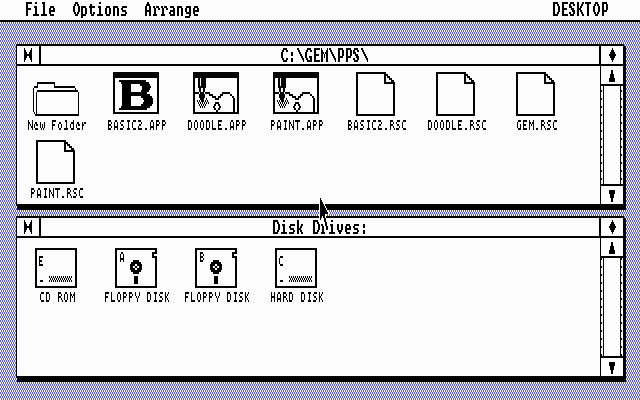
GEM Desktop


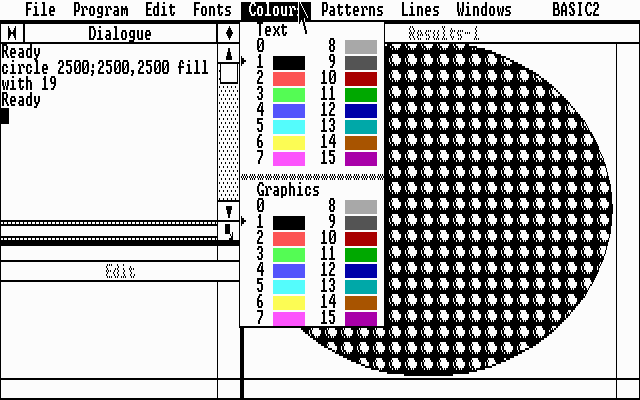
Locomotive BASIC2


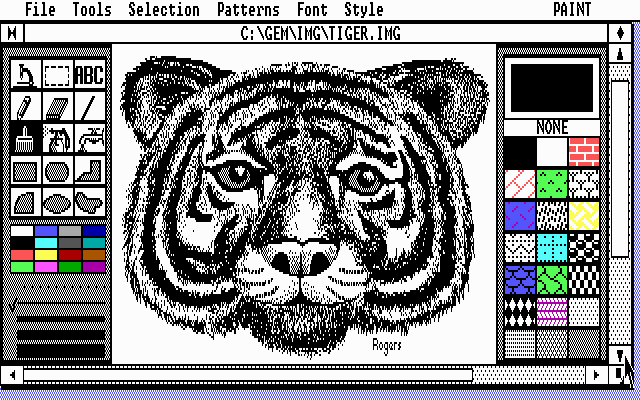
GEM Paint

VNC over SSH via a firewall

March 7th, 2001

I live in a student house with three other guys. All of us have computers and two are computer scientists. We have a cable modem for our internet access which provides high-speed access 24/7 for a flat fee. We have installed network cables under the floorboards so that we can all use our computers in our rooms.

The physics department is on the other side of town, a 20 minute bike ride away. It is extremely useful to be able to access my computer (which runs Windows) from the department. Since it runs Windows, the best way of doing this is by VNC.

Normally to connect to a remote computer using VNC is it is a simple matter of running the server software on the computer you want to connect to, the client software on the computer you are sitting at, and just opening up a TCP/IP socket connection between the two.

However, because of the way our house network is set up, connecting to my computer from outside the house is much more complicated. There is only 1 IP address for the whole house, so my computer does not have a globally accessible IP address (it is known as 10.0.0.36 to the rest of the house). The cable modem is plugged into a firewall which does the appropriate packet forwarding and rejects all incoming connections except for SSH (which is a very sensible thing to do).

I could have opened up another port on the firewall and forwarded it to the VNC port on my computer, but this would be somewhat insecure. VNC uses challenge/response authentication so it is unlikely that a malicious hacker could sniff the password, log in and take control of my computer. However, all VNC’s data is sent as plaintext, so would be susceptible.

The solution to both problems is to route the VNC data over SSH. This is somewhat non-trivial to do, and the purpose of this document is to explain how it’s done.

You need an SSH client which can do port forwarding at each end, and an SSH server running on the firewall. In this case, I am using a Windows NT machine running at the physics department to connect to my machine, which runs Windows 98. Both Windows machines can run Teraterm Pro with the TTSSH SSH extension. The firewall runs a Unix derivative, for which SSH software is ubiquitous.

On my computer I perform the following steps:

  • Set up the VNC server (which listens on port 5900)
  • Start Teraterm with the command “TTSSH /ssh-R40000:localhost:5900”
  • Log in to the firewall over the local network using it’s local IP address and the normal SSH port (22)

Next, I cycle to the physics department, log in and perform the following steps:

  • Start Teraterm with the command “TTSSH /ssh-L5900:localhost:40000”
  • Log in (securely) to the firewall using the normal SSH port (22) and the global IP address of the house.
  • Start the VNC client, connect to localhost, log in and it works!

There are a couple of complications. Firstly, our cable modem provider reserves the right to change our IP address at any time (we are not strictly speaking allowed to run servers). So I need a method to find our IP address. Fortunately, I already run ICQ so this provides a simple solution. A small ICQ client (if you don’t have much space) can be found here. If you don’t trust ICQ, you could write a small program to run on your machine to connect to a machine whose IP address you know, and another small program to run on that machine which you can connect to from elsewhere to find your IP address.
[Update] The latest versions of ICQ don’t show you the IP addresses of people on your contact list who are online. A better solution is to use a dynamic DNS client (see, for example, http://www.dyndns.org). Then you don’t need to install anything on the client machine, and just need to remember your hostname.

The other complication is that the Windows VNC server does not normally support loopback connections. To enable them, run REGEDIT and add to the key HKEY_LOCAL_MACHINE/Software/ORL/WinVNC3 a DWORD value with the name “AllowLoopback” and the value 1.

Happy VNCing!

Perfect numbers

February 25th, 2001

If you take any number and find all of its factors (including 1 but excluding the original number), then take the sum of all these factors, you will end up with another number. If this number is the same as the one you started with, it is a perfect number.

Perfect numbers are very rare. Only about 31 are known. The first few are:

  • 6
  • 28
  • 496
  • 8128
  • 33550336
  • 8589869056

Here are a few facts about perfect numbers:

  • All perfect numbers end in either 6 or 8.
  • If 2^n-1 is prime, then 2^(n-1)(2^n-1) is perfect. All perfect numbers are of this form.
  • All perfect numbers are triangular.
  • The digital root, or remainder when divided by 9, of any perfect number except 6 is 1.
  • Every perfect number except 6 is the sum of consecutive odd cubes.
  • The sum of the reciprocals of all the divisors of any perfect number is equal to 2.

Photographs – Great Fire of Torrington

September 23rd, 2000


Pudding Lane, before the fire.

Photographs – Berry Park

September 23rd, 2000


Bonnie, who isn’t really supposed to be there.


Morning dew on the window of the caravan.


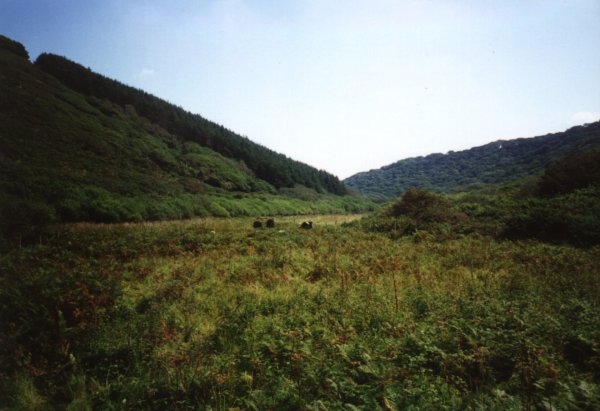
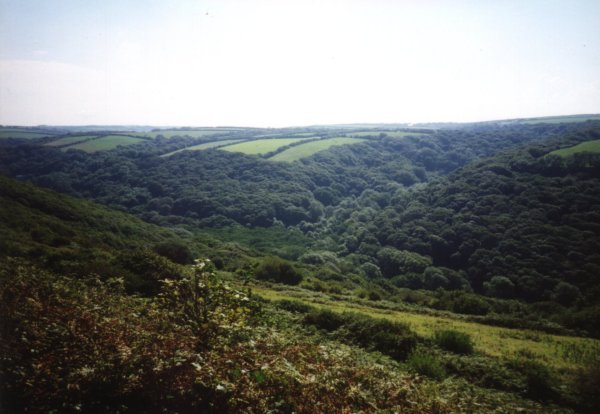
Marsland valley.


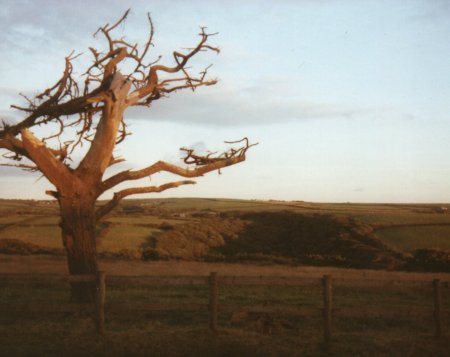
Berry Park’s tallest tree can be seen for miles around.


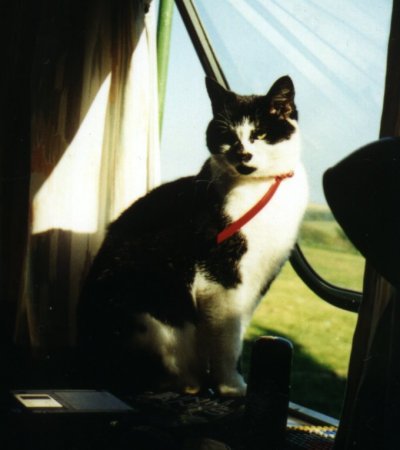
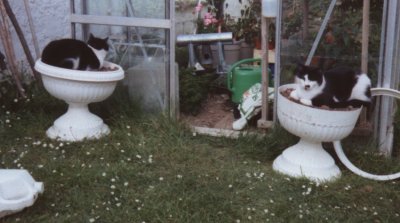
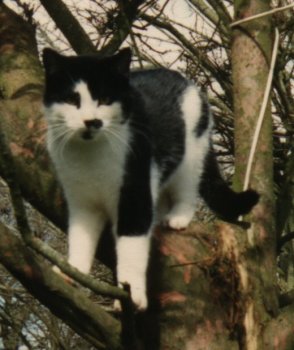
Our cats, Bonnie and Clyde.


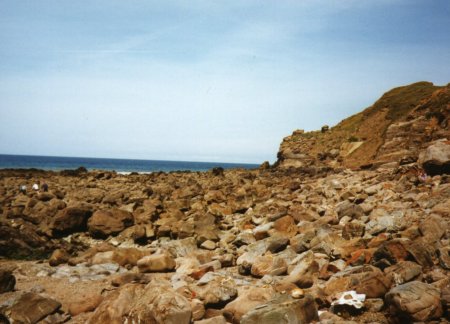
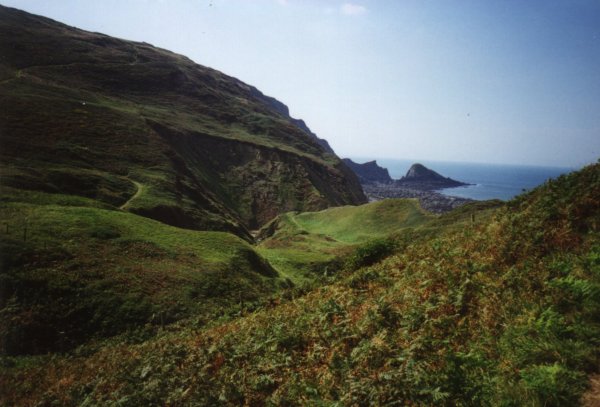
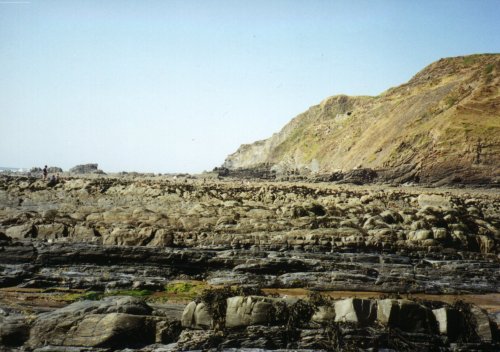
A rocky bit of Welcombe Mouth beach.


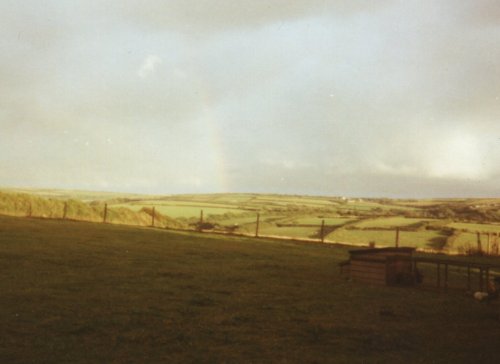
A rainbow over the valley.


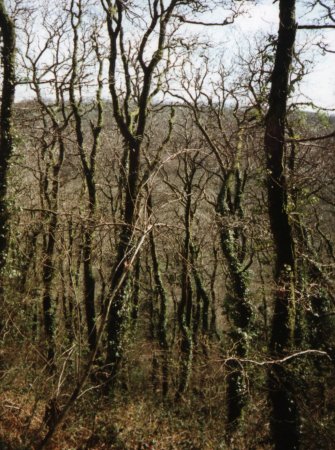
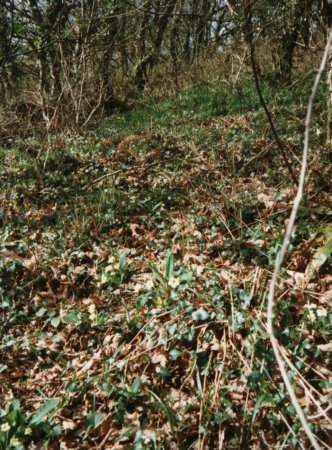
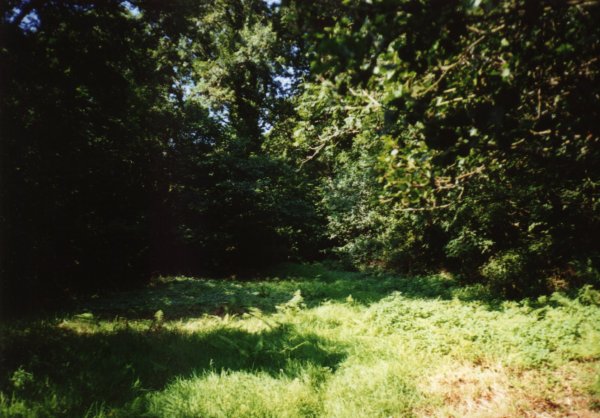
Primroses on a forest floor.


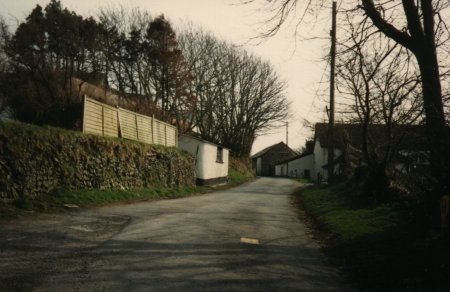
A remote country lane.


A sunset behind Berry Park.


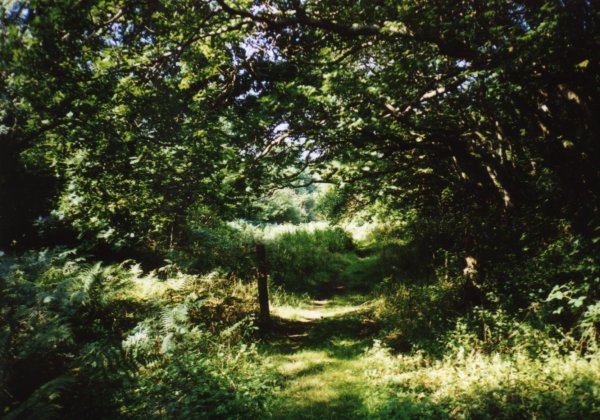
A path through the woods leading to adventure…


Dad on a lawnmower.


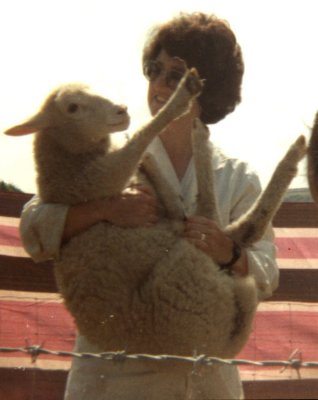
My little brother Chris (back when he was small enough to be cute) holding a baby goat.


An atmospheric summer evening.


Beach combing, activities week 1993.


Mum with a giant pumpkin.


A sunset over the Atlantic.


Sheep dipping time!


The roar of the (not so big) big cat.

The perfect cheese sandwich

August 7th, 2000

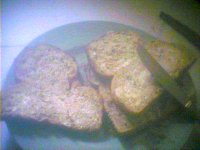
Apologies for the poor quality of the pictures on this page – they were all taken with a Logitech Quickcam.

The important factors to remember when making the ideal sandwich are the ratios between the various ingredients and their strengths, and the aim is to make both the flavour and texture exactly right. So, if you use stronger cheese, you have to use less of it to create the right effect. If you use cheese which is too strong, there will be so little cheese that the texture will just be that of bread. Besides which, strong cheese tends to crumble and/or leave a slimy residue on your fingers. I usually use strength 3 Irish Wexford medium cheddar.

I find white or brown bread rather flavourless, and prefer wholemeal bread (which is also the most full of fibre, and therefore the best for you). You’ll need some sort of spread to stick the cheese to the bread and prevent the sandwich from tasting too dry. I tend to use olive spread but sunflower spread (margarine) is fine, too. Butter is too difficult to spread and will make the bread curl up, but if you have no alternative, scrape off very thin slices of butter and just place them on the bread, don’t attempt to spread them other than to just stick them to the bread.

One serving of sandwiches consists of three slices of bread. If you’re not very hungry and your loaf is very large, you can use use two, and if you’re very hungry and your bread is very small, you can use four, but three is the optimal number nearly all the time, and the rest of this document assumes three slices (you’ll have to figure out how to adjust the method for an even number of slices youself). You can adjust for how hungry you are by modifying the thickness of the slices (ensuring that your cheese thickness is adjusted in proportion).

To a certain extent, you can adjust the cheese to bread ratio to suit how rich you would like your sandwich. For example, if I’m going to be eating the sandwiches on a long journey, I tend to use less cheese. Beware of increasing the amount of cheese too much, because there are few things worse than excess cheese.

Of the three slices, butter one side of one of them entirely and butter half (the squarer half) of one side of another. Next, cut the cheese into slices (a danish-style cheese slicer is almost essential here) and spread the slices out on the surfaces of bread which are covered with spread so that none of the spread-covered bread is visible (each point on the surface should be covered by either 1 or 2 layes of cheese, unless you are using very strong cheese).

Next, place the unbuttered layer of bread over the one which has been covered entirely with cheese and place the half-covered layer of bread on top of this. Now with a single cut of your breadknife you can cut all three slices in half. Finally, place the unbuttered half-slice of bread onto the half cheese covered slice, thus creating three sandwiches each consisting of two half slices with cheese in between.

Now, unless you’ve used crunchy French bread (which is another sandwich entirely) your sandwiches won’t be crunchy at all, so in order to introduce some “crunch factor” you’ll need a packet of crisps. I prefer salt and vinegar flavour (although I’ll occasionally settle for prawn cocktail flavour just to be exotic). Salt is in the bread anyway, and potato and cheese obviously go together (just consider baked potato) so this isn’t strange at all. The salt and vinegar act as flavour enhancement and give the sandwich a bit of tang. Again, when laying out the crisps (between the layer of cheese and the unbuttered layer of bread). Again be sure to cover all the cheese completely lest you get a bite with no crisp or not enough crisp. You’ll probably want to make the crisps two or even three layers deep.

Lately, I’ve switched to using salt and vinegar flavoured chipsticks instead of crisps, as these give much more of a satisfying and consistant crunch. These will only need a single thickness, but this is not a problem since they tesselate very well (particularly when their length corresponds to the width of your semi-slice).

To follow I like a nice juicy, crunchy apple such as a granny smith (although some find these too sharp and prefer to go for something sweeter – however apples which have a “grainy” texture should be avoided at all costs). These do a great job of cleaning out the mouth of any spare sandwich crumbs. Apples are best eaten by cutting into quarters through the central axis (so that you get four idential pieces, assuming your apple has perfect rotational symmetry) and then slicing out the central piece (including pips) with a small sharp knife (taking care to cut away from your fingers). If you have no knife handy, you’ll just have to eat it the old fashioned way (from the outside in) but you’ll probably end up with apple juice all over your fingers.

Finally, if you’re still hungry (and I usually still am) eat some cake. My favorite is an American style double chocolate chip muffin (what American’s would call a British style double chocolate chip muffin, confusingly). These go down really well after an apple.

It’s nice to have something to drink with the sandwiches and cake. I prefer to drink orange juice with my sandwiches (the cheap sort, not the expensive freshly squeezed sort with bits in).

Once you’ve discovered the recipe for your perfect lunch, you might want to eat it every day (after all, why have something which isn’t your favorite when you can have your favorite?) You’ll then want to work things out so that you have to go shopping as infrequently as possible.

A loaf of bread lasts 4 days at 3 slices per day if you don’t eat the end pieces (and who does?) The best before date usually corresponds to the 3rd day but it’s still edible on the 4th. Any later than that, however, it’s really only suitable for the ducks. Coincidentally, the other items which don’t last very long, the double chocolate chip muffins, also come in packs of 4 so with a bit of careful planning you can get away with going shopping no more often than every 4 days. All the other things can just be bought whenever you think you’re going to run out in the next 4 days.

But this all seems rather inflexible. What if you’re invited to go out to lunch one day? Well, if you know far enough in advance you can work it out so that that would happen on a “day 1” (which can be postponed a day). For example, if your occasion would fall on a “day 2”, you could have lunch elsewhere the day before. And if you really want to do something last minute, you can always make some toast for a tasty evening snack and double chocolate muffins are too nice to ever be redundant.
Finally, a short word on packed lunches, for which these sandwiches are ideal. Wrap them in clingfilm or put them in a sealable freezer bag, and do the same with the cake (the apple is okay on it’s own). Note, don’t put the crisps in the sandwiches before you’re ready to eat them or they’ll go soggy and horrible. Also ensure that your drink is sealed tightly in a leak-proof container. There is absolutely nothing worse than sandwiches which have been sitting in a puddle of liquid. Put everything in a plastic box such as an 2-litre ice-cream carton (everything should fit if you’re good at jigsaw puzzles and not too greedy – you might have to squash the lid down a bit to get it to seal but this won’t matter). If making the sandwiches the night before your outing, leave them in the fridge overnight to keep them fresh.
Contrary to popular belief, it is actually possible to have substances other than cheese in a sandwich if you’re not a vegetarian (and if you are, I have absolutely no sympathy.) Sandwich ham or other cold meat works well and can also be used with crisps. My father likes cold, congealed gravy in sandwiches. Paté can be quite nice, too.

Photographs – Lundy Island

August 5th, 2000


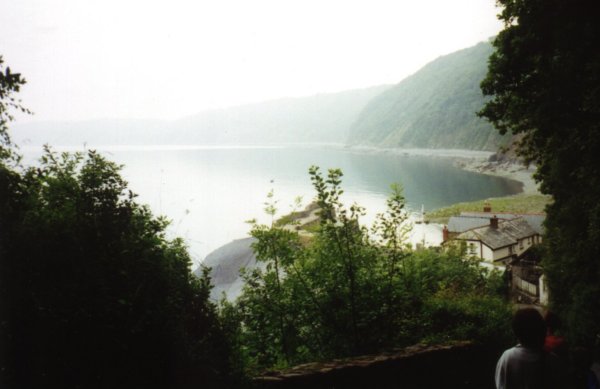
The sea from the road down to Clovelly.


Morning mist at Clovelly.


Hartland point.


Shark! This is a basking shark, the largest fish found off British waters. It eats plankton and is not dangerous to humans.


Lundy island.


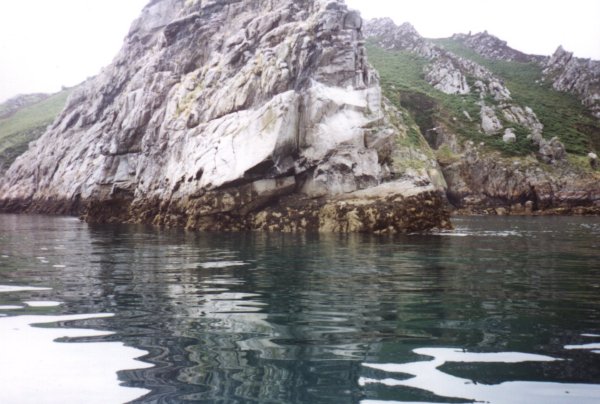
These rocks are called Rat Island and Mouse Island.


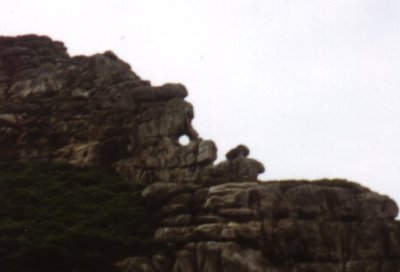
The Devil’s Kitchen. There are lots of places called The Devil’s something-or-other on Lundy, possibly because it’s such a wild and remote island.


The east coast of Lundy.


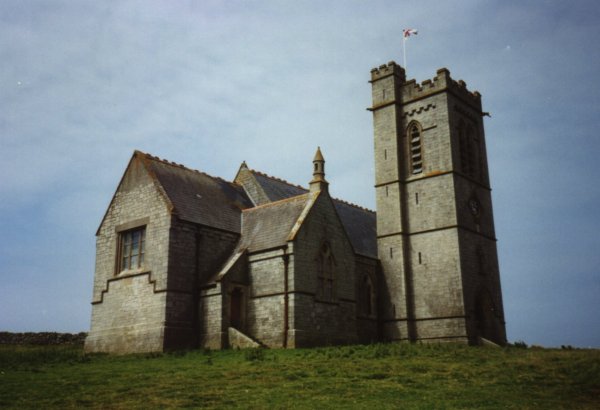
Lundy’s church.


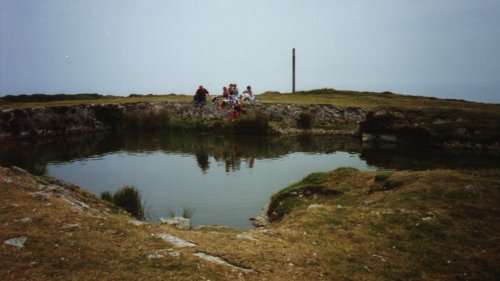
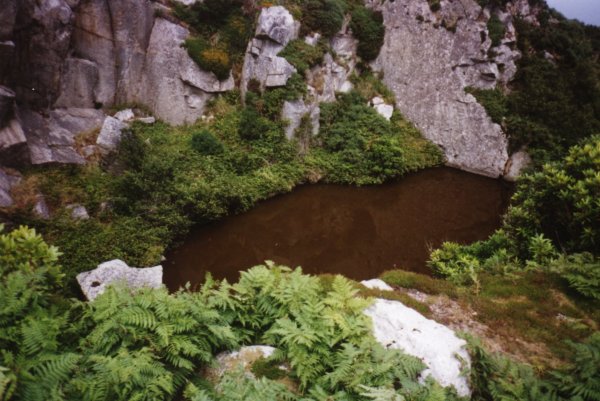
Rocket Pole Pond. The pole sticking up in the background would be the Rocket Pole, I assume. I have no idea what it’s for, though.


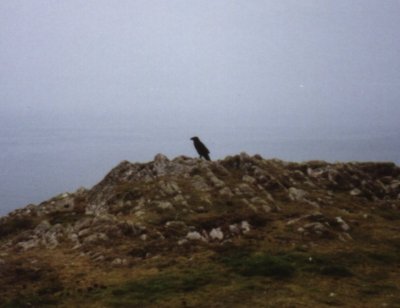
A Raven on South West point.


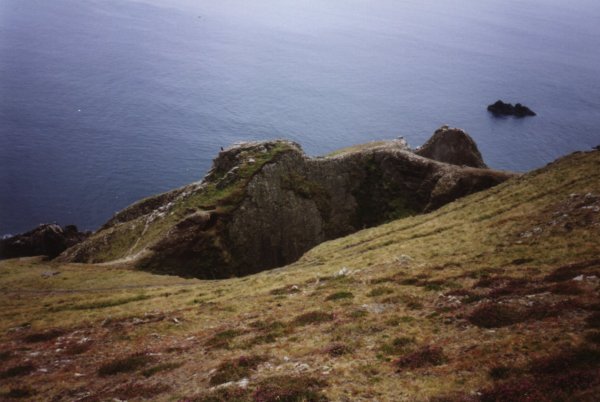
Devil’s Limekiln – a big hole in the steeply sloping ground.


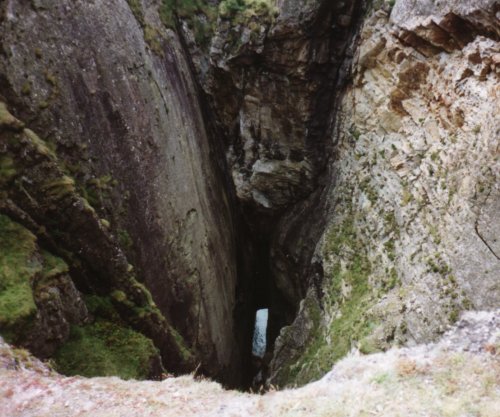
A view down Devil’s Limekiln. It’s quite scary to get this close.


The Old Lighthouse.


Some of Lundy’s ponies.


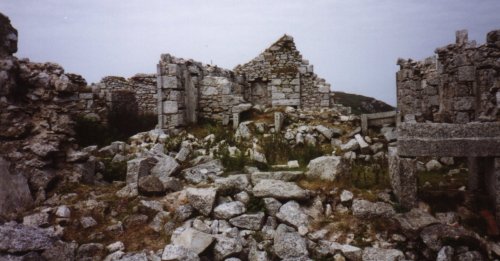
Remains of the Quarterwall cottages.


Lundy’s sheep have the run of the island – they are fenced out of the village rather than fenced in a field.


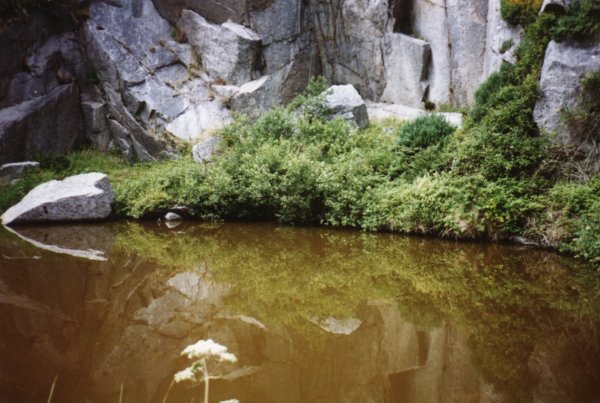
A secret pool we found, full of huge goldfish.


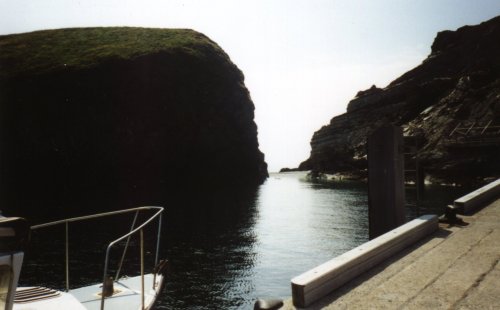
View of the south east peninsula of the island, showing the new South Lighthouse, the Jetty where the MS Oldenburg is moored, Rat Island and Mouse Island.


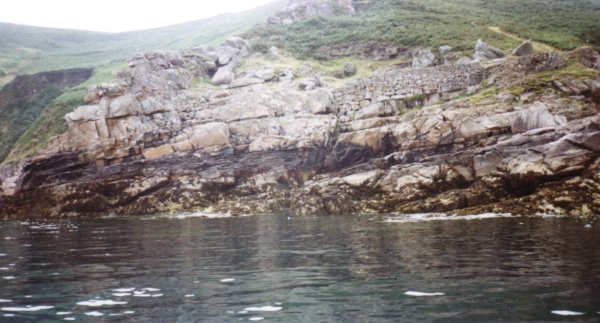
The remains of a wall on the cliff – purpose unknown.


This rock formation is called Mouse Hole and Trap.


Seals can be seen sunbathing on the rocks on the North part of the island. I went swimming with them.


The island in its entirety.


Clovelly trickles down the cliff to the sea.


Our faithful ship for the day, the Jessica Hettie.


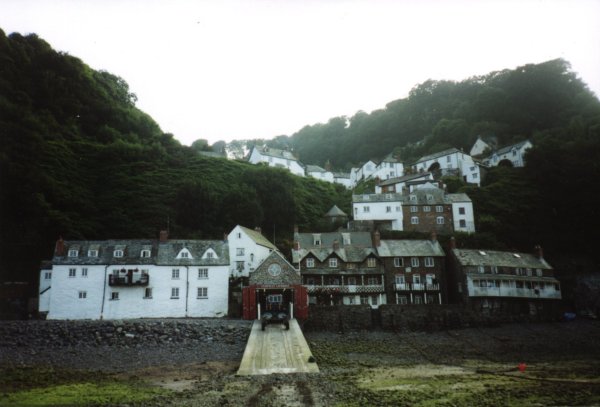
Clovelly.


Links:
Lundy Island
The Jessica Hettie